Spotting AI-generated art has become a crucial skill as artificial intelligence creates increasingly convincing artwork. While AI art can look impressive at first glance, knowing what to look for helps you identify telltale signs that reveal machine-made content from human creativity.
Check the Details That AI Struggles With
AI consistently fails at rendering certain complex features that human artists handle naturally. Focus your attention on these problem areas:
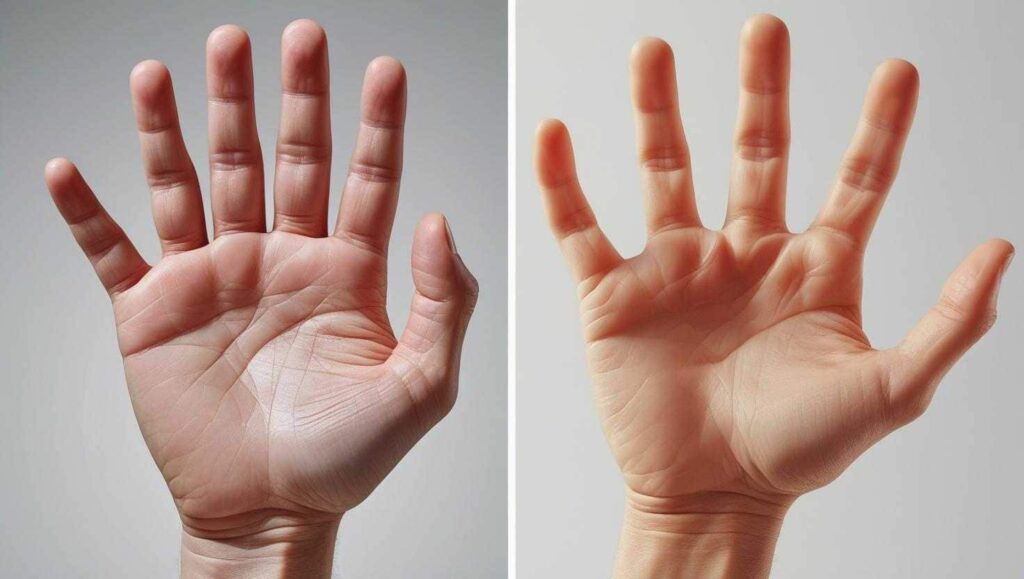
Hands and Fingers: Look for extra fingers, missing thumbs, or fingers that bend in impossible ways. AI frequently adds six fingers or creates hands that look more like melted wax than actual anatomy.
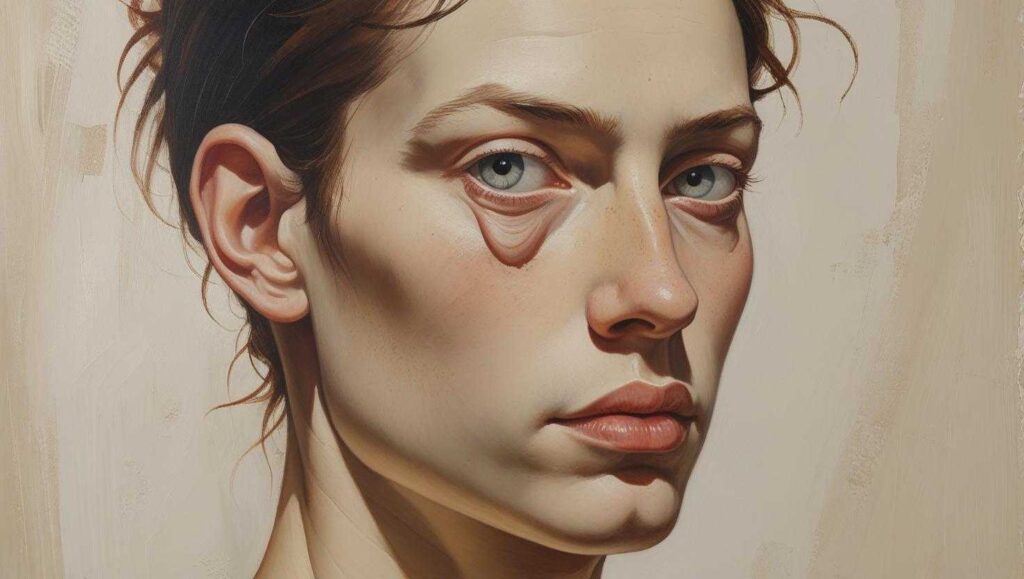
Eyes and Facial Features: Check if both eyes match in size and direction. AI often creates uneven pupils, misshapen irises, or eyes that don’t align properly. One ear might sit higher than the other, or the jawline might blend awkwardly into the neck.
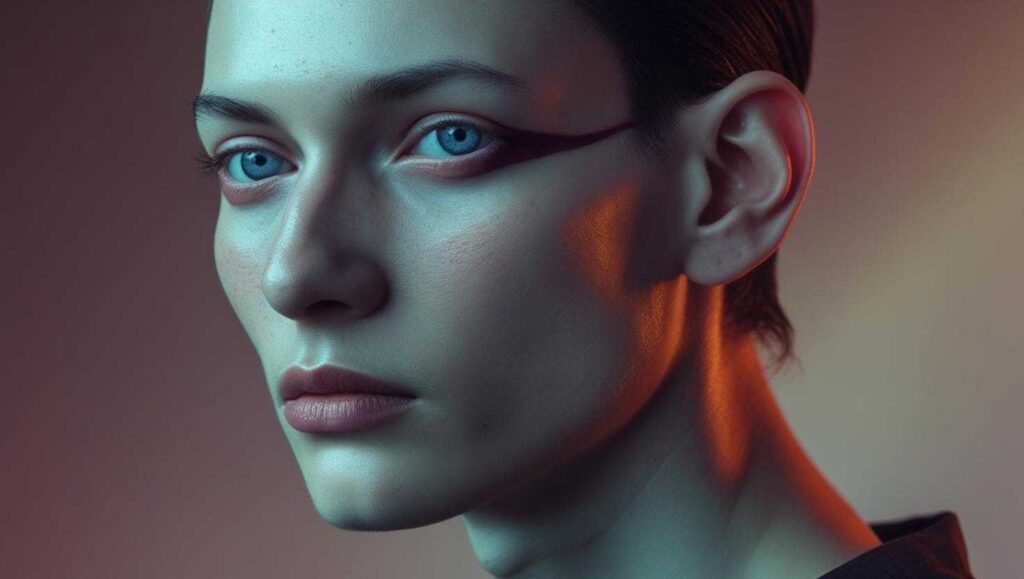
Hair and Skin Texture: Human skin has pores, freckles, and natural imperfections. AI tends to smooth everything into an unnaturally plastic-like finish. Hair might appear too sharp, too uniform, or unnaturally fused with clothing or backgrounds.
Look for Lighting and Shadow Problems
AI struggles with consistent lighting throughout an image. Check these elements:
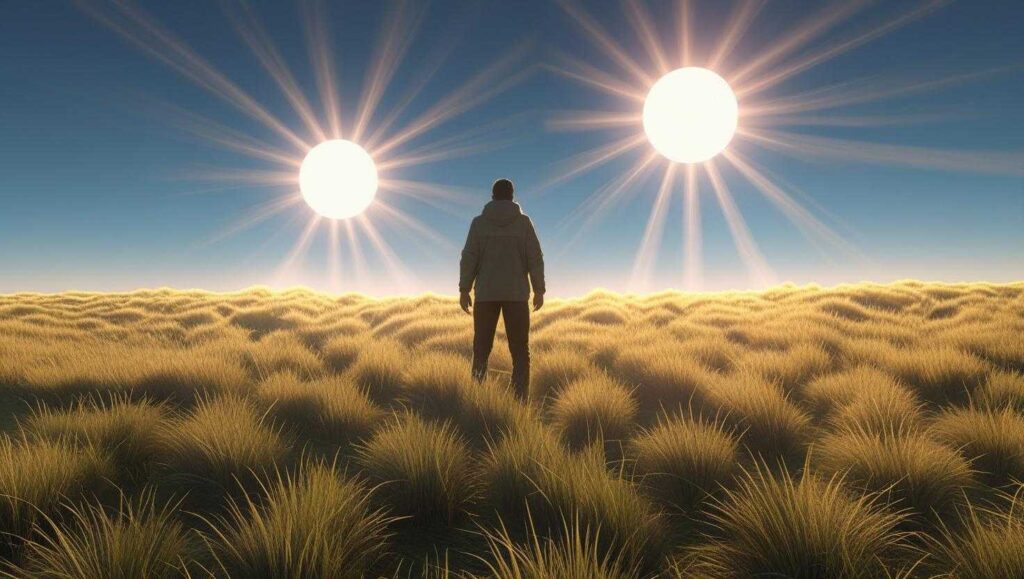
Multiple Light Sources: Some AI images contain two or three suns, creating shadows that make no sense in the real world.
Inconsistent Shadows: If a person’s shadow falls to the left but the apparent light source is on the right, you’re likely looking at AI art.
Unnatural Glow Effects: AI art often features heavy, unnatural bloom or glow effects, especially around bright areas, as the algorithm tries to soften harsh lighting.
Spot Symmetry Errors and Repetitive Patterns
AI relies on patterns, which can create obvious mistakes:
Mismatched Paired Items: Look for differences between left and right elements that should match, like different designs on armor pieces or jewelry that doesn’t mirror properly.
Overly Perfect Repetition: Check for identical clouds, fabric folds, or textures that feel mechanical rather than organic. Human artists introduce natural variation that AI sometimes misses.
Objects That Merge: Watch for items that blend together impossibly, like clothing that bleeds into backgrounds or tree trunks that merge into the sky.
Use Reverse Image Search
This simple technique can quickly reveal AI origins:
- Right-click the image and select “Search Google for image”
- Upload the image to Google Images or TinEye
- Look for similar AI-generated pieces in the results
- Check if multiple nearly identical versions exist, which suggests AI generation
Check the Source and Context
Sometimes the biggest clues come from outside the artwork itself:
Artist Information: Look for missing artist credits or vague attribution. Real artists typically want recognition for their work.
Account History: Check if the poster suddenly started producing high-quality art without showing skill development over time.
Captions and Tags: Some creators mention AI tools in descriptions with phrases like “created with Midjourney” or “AI-assisted artwork”.
Look for Technical Watermarks
Many AI generators leave subtle marks:
Small Logos or Grids: DALL-E often adds colored squares in the bottom corner. Other generators use small logos or letter combinations.
Metadata Clues: Right-click the image file and check “Properties” for creation software information that might reveal AI tools.
Trust Your Instincts About Composition
Human art typically has intentional meaning and emotional depth:
Random Elements: AI images might combine impressive visual parts but lack a cohesive story or emotional thread.
Generic Poses: Look for overly common poses or compositions that feel like they came from a template.
Uncanny Valley Effect: If something feels technically perfect but emotionally hollow, AI might be responsible.
Use AI Detection Tools as Backup
While not foolproof, online detectors can provide additional evidence:
- Try Hugging Face’s AI image detector
- Use Deepware’s AI Art Detector
- Remember these tools aren’t 100% accurate but can support your manual observations
Practice Makes Perfect
Spotting AI art requires developing your eye over time. Start by examining images you know are AI-generated to familiarize yourself with common patterns and mistakes. The more you practice, the better you’ll become at catching subtle signs that reveal artificial origins.
Remember that AI technology improves constantly, making detection more challenging. However, these fundamental techniques will help you identify most AI-generated content and protect yourself from digital deception in art and media.
Related Articles:
Citations:
- https://ppl-ai-file-upload.s3.amazonaws.com/web/direct-files/collection_ba0d45e7-4185-409f-b191-3462b73eb57a/42cbeeac-1543-419d-9dbd-94d472b6fa55/paste.txt
- https://www.reddit.com/r/ArtistHate/comments/1bxedbx/how_do_you_spot_ai_art/
- https://www.proofididit.com/hub/ai-art-detection/practical-tips-for-spotting-ai-art
- https://www.stockphotosecrets.com/buyers-guide/identify-ai-generated-images.html
- https://forums.tapas.io/t/a-guide-to-detect-scarily-good-ai-art/76024
- https://artsmart.ai/blog/is-it-ai-or-human-made/
- https://www.pcmag.com/articles/how-to-detect-ai-created-images
- https://www.youtube.com/watch?v=TQOzBLjnQ6g
- https://elearn.eb.com/real-vs-ai-images/
- https://www.youtube.com/watch?v=0Nm7R1ufq_s
- https://www.wired.com/story/how-to-spot-generative-ai-art-according-to-artists/